Your books,
on real shelves.
Liber turns the books you own into a bookcase on your iPhone. Scan a barcode, search a title or bring your Goodreads library, and each book lands as its real spine. Pick one up to read, rate or lend it.
From the box to the shelf
in a few seconds.
-
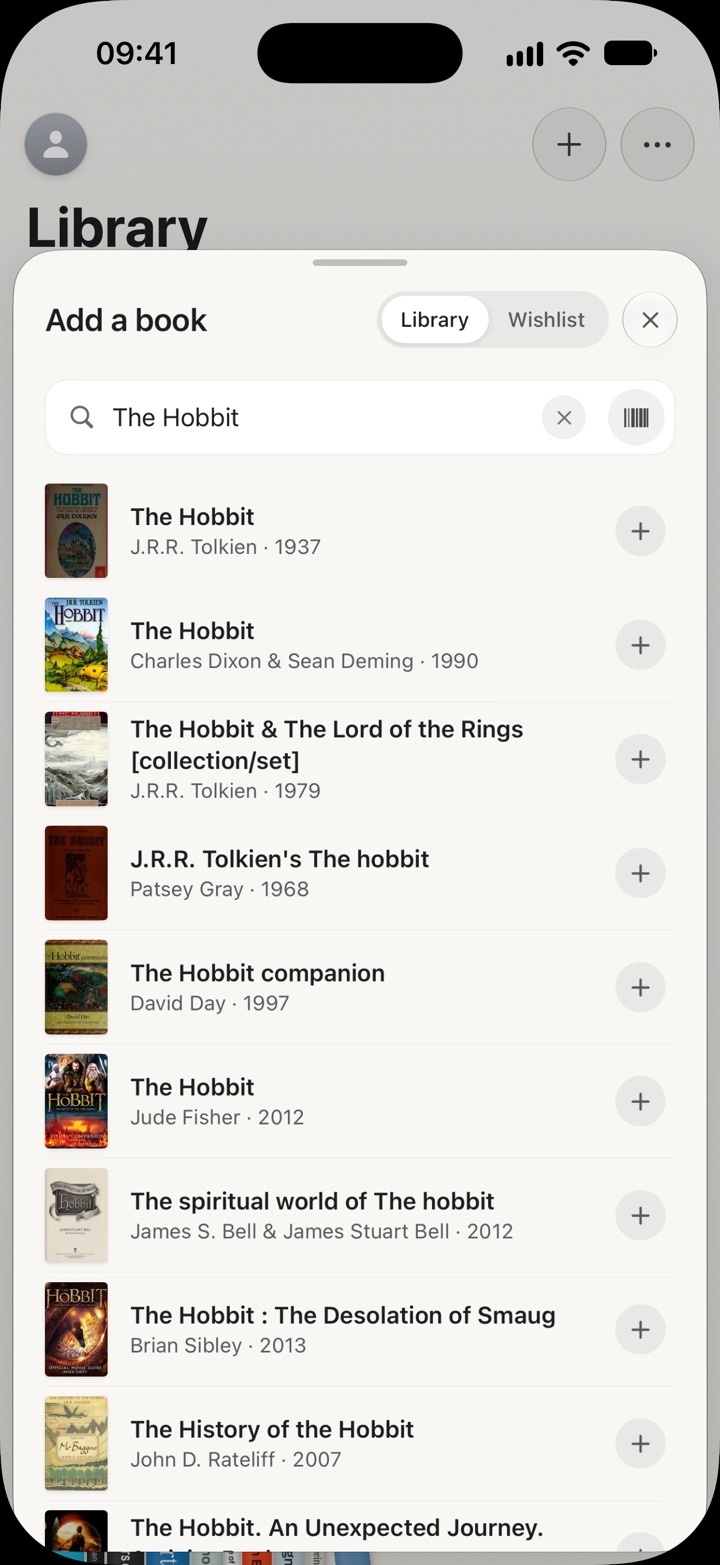
1Add a book
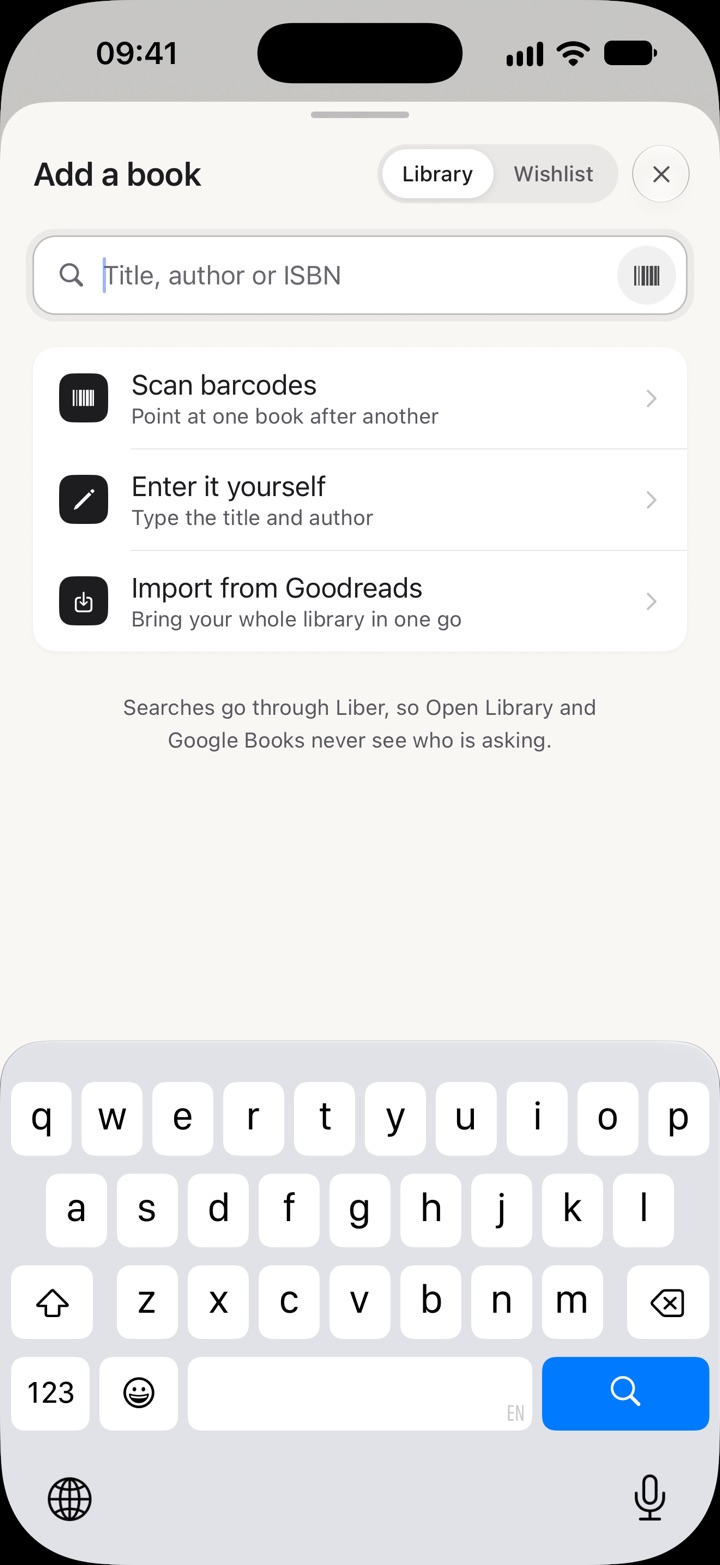
Find it by title or scan its barcode. The right edition, with its cover, size and page count.
-
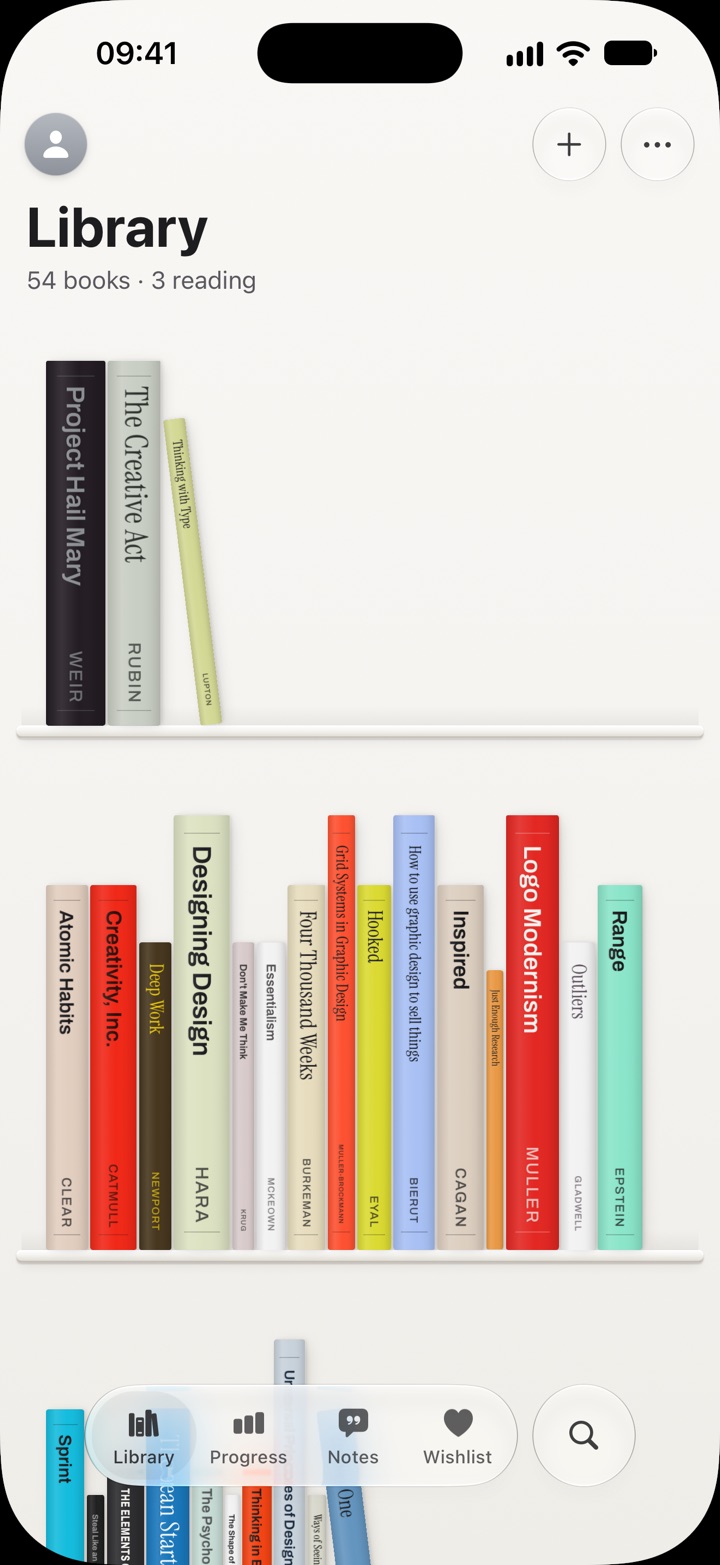
2It lands on your shelves
As its real spine, in the cover's colours and at its real size, on the shelf for its kind of book.
-
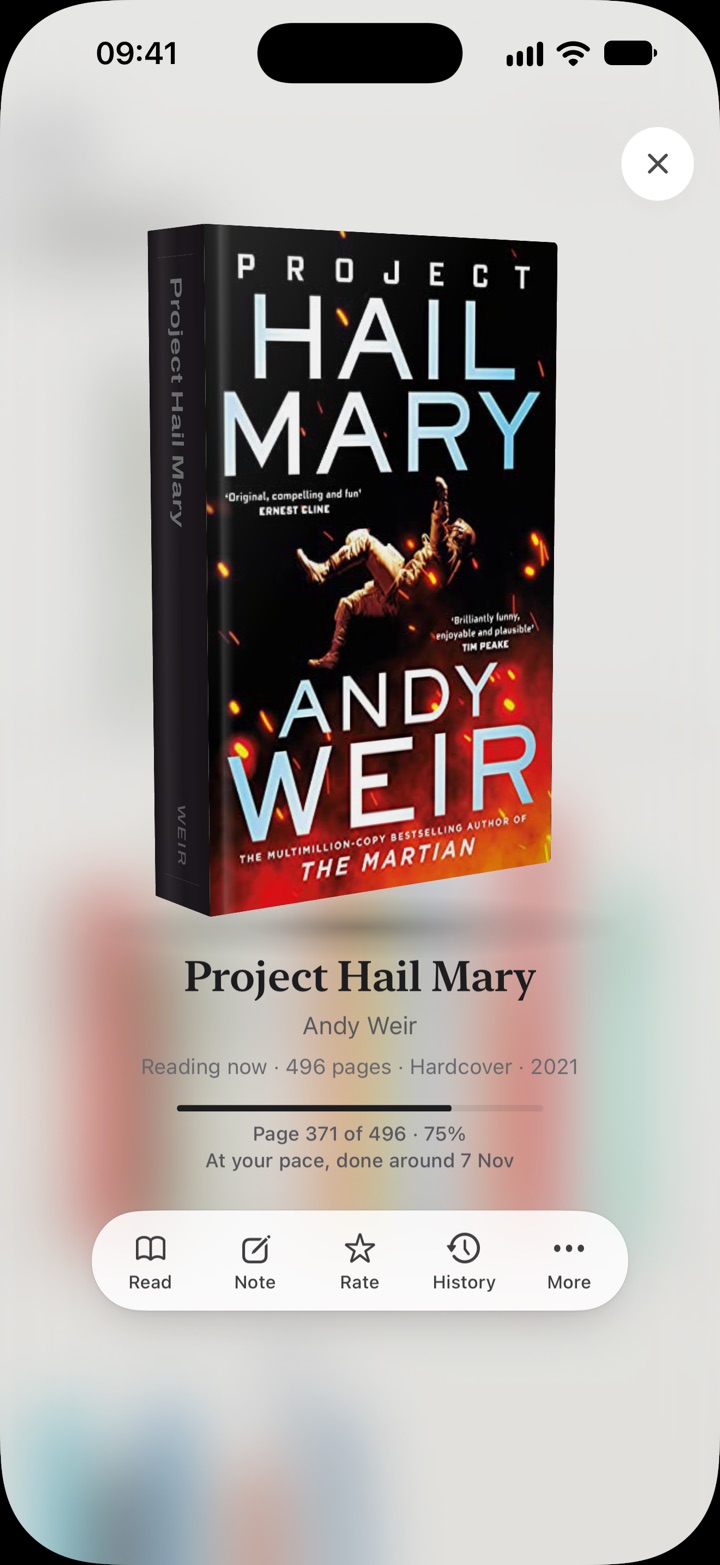
3Pick it up
Tap a spine and the book comes off the shelf into your hand. Turn it over, see where you're up to, put it back.
Pick a book up.
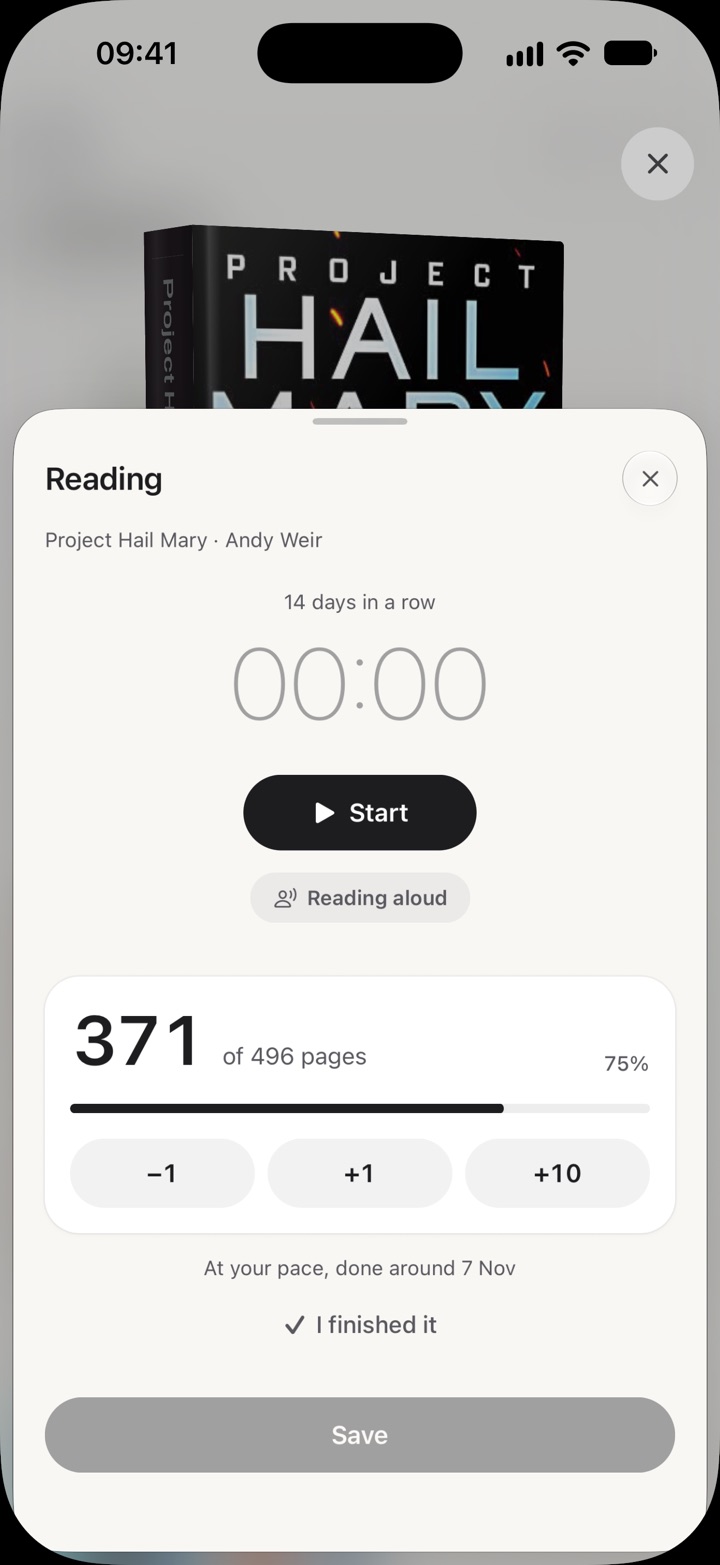
The shelves behind it go soft and the book comes close. Time a sitting, mark your page, keep a line you love, and rate it when you're done.
Everything a reader keeps,
and nothing else.
- Reading time
- A timer for each sitting, read to yourself or aloud, and how long the rest will take you.
- Your page
- Where you are in every book, and how far through.
- Ratings
- Half stars, and "which was better?" to put your favourites in order.
- Notes and quotes
- The lines you want to keep. Photograph a page and pick the passage.
- Notes in any app
- Your notes as plain files in a folder, for Obsidian, Bear or any notes app.
- Lending
- Who has your book, and since when.
- A wishlist
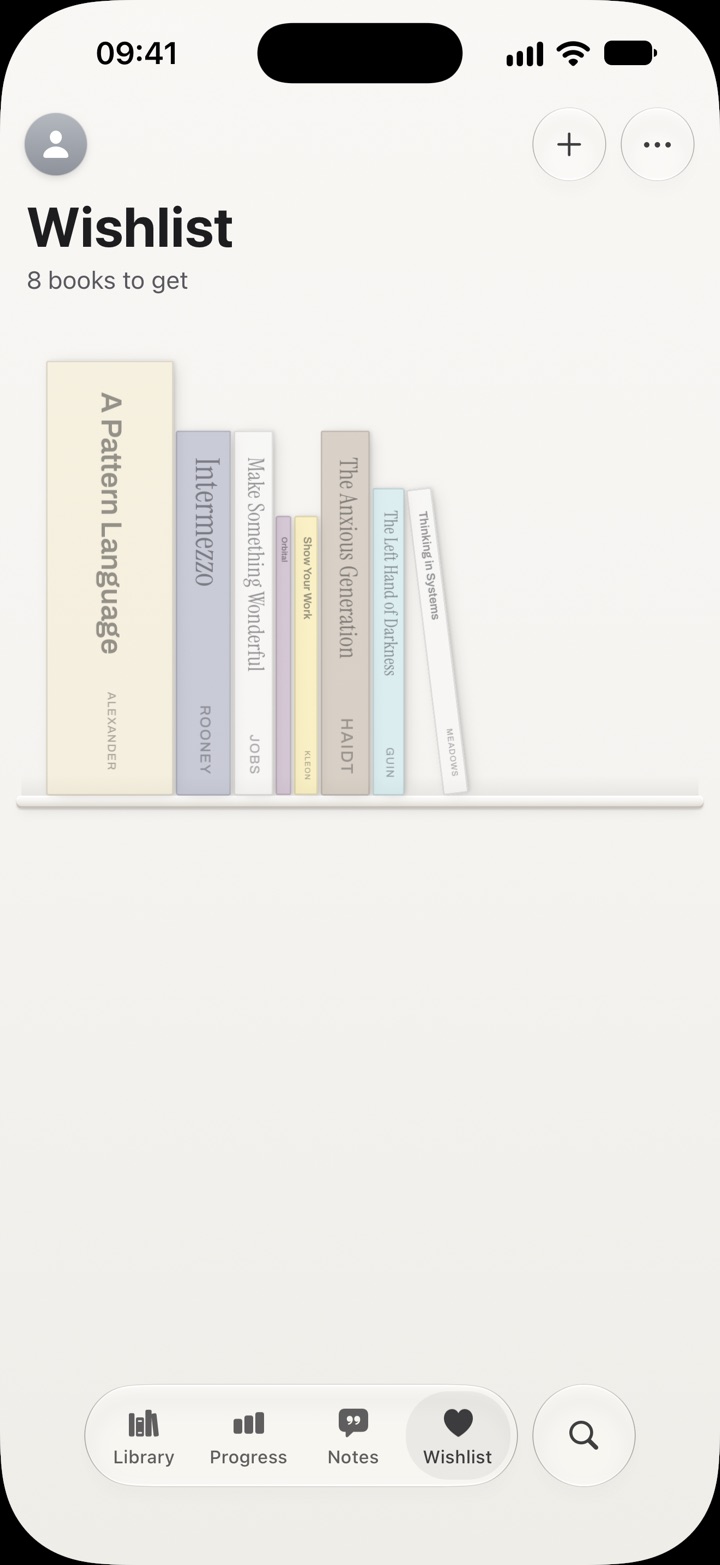
- Books you want stand there see-through, until you get them.
- Goals and challenges
- Minutes or pages a day, a streak and a gentle reminder, and three challenges each month.
- A list when you need it
- Sort and filter by author, year, shelf or status to find any book fast.
- Spine photos
- Photograph a real spine and it takes the drawn one's place.
Take a look inside.
Your library is yours.
- No account needed. Your books live on your iPhone. Sign in with Apple to sync, with no email and no name.
- Encrypted before it leaves. A synced library is locked on your phone, so only you can read it. Not us, not anyone.
- Searches go through Liber. Open Library and Google Books never see who is asking.
- No ads, no third-party trackers. Nothing is sold, and nothing is shared.
Free for your first 100 books.
Plus for every one after.
Free
£0
The whole app, for up to 100 books.
- Shelves, scanning and search
- Reading timer, daily goal and streaks
- Ratings, notes and lending
- Wishlist and spine photos
- Sign in with Apple and sync, end-to-end encrypted
Liber Plus
£19.99 a year
7 days free. Or £2.99 a month, or £49.99 once.
- Every book you own, with no limit
- Your whole Goodreads library in one go
- Your notes in any notes app, as plain files
- Quotes from a photo of the page
- Everything in Free
Prices in pounds; the App Store shows yours in your currency. Subscriptions renew until you cancel in Settings.
Before you start.
Is Liber free?
Yes, the whole app is free for up to 100 books, wishlist included. Liber Plus has room for every book you own, imports a Goodreads library of any size, keeps your notes in a folder for any notes app, and takes quotes from a photo of the page. Sync between your iPhones is free for everyone.
What happens at 100 books?
Everything you've added stays, and you can still read, rate and lend them. Adding the next one asks if you'd like Plus.
Can I bring my Goodreads library?
Yes. Export it from Goodreads (My Books, then Import and export) and choose the file in Liber. It's read on your phone; Liber looks up covers and sizes for each book.
Do I need an account?
No. Your library lives on your iPhone. To sync between iPhones, sign in with Apple: your encryption key travels in your iCloud Keychain, so a new iPhone finds your books on its own. Liber never sees your email or name. You can also sync with a key you keep yourself.
Is it on Android, iPad or the web?
Liber is for iPhone for now.
Where does my data go?
Your books stay on your phone. Searches for a book go through Liber's own server, which keeps no record of them. A synced library is encrypted on your phone first. Liber also counts a few things anonymously, like how many books get added, and you can turn that off in your profile. The privacy policy has the details.